
Resources & guides / Visual storytelling
Visual storytelling:
Start building more engaging content
Guide
12 min read
Updated · Apr 2026
Create with AI
Memorable, meaningful, and highly engaging, visual storytelling is the narrative technique powering the web’s most interesting content.
In this guide
Ready to design yours?
Basics
What is visual storytelling?
At its simplest, visual storytelling is a fancy term for the narrative technique of “showing, not telling”. Within web design, it’s the practice of using rich visual media such as graphic illustrations, photographs, video, and animated charts to tell immersive stories.
Since people respond to visual stimuli at a much faster rate—and on a more personal level—than just text alone, visual storytelling is a great tool for turning complex information into easily-digestible, engaging stories.
Naturally, this has made it a very attractive tool for digital marketers. Executed well, visual storytelling can produce captivating narratives and engaging digital experiences that resonate with audiences on a highly personal level. Often used for marketing initiatives, it’s used in everything from raising brand awareness, to generating sales and driving website traffic.
The rise of visual storytelling on the web
Widely popularized by publishers like the New York Times in the early 2000s, visual storytelling on the web stands in direct opposition to “fast”, clickbait content. It’s a long-form, intentionally “slow”, and indulgent content format designed for long attention spans. With a focus on craft, quality, and meaning, visual storytelling has quickly been adopted by content marketers to engage readers and communicate a premium brand identity.
Visual storytelling in and of itself isn’t a new concept—it’s been around since people first took pigment to stone and created stories on cave walls. Yet, within modern web design, it’s constantly shifting and changing. Web creatives are increasingly moving away from static visuals and the “H1, H2, paragraph text, single image” format that has dominated corporate web design for years.
Thanks to advances in web creation platforms, more people than ever are launching immersive visual experiences on the web, full of engaging animations and micro-interactions. As highly engaging pieces, these often involve a level of reader participation and personalization that other digital marketing formats simply can’t achieve.
Design Techniques
Popular visual storytelling techniques
There are so many ways to tell a compelling visual story on the web. With the right tools, you can easily experiment with different visual and graphic media, as well as slick animations, micro-interactions, and transitions. Here are a few of the most popular techniques you’ll want to familiarize yourself with.
Scrollytelling sections
Beloved by The New York Times, scrollytelling brings visuals and text together seamlessly. Try them with video backgrounds, or a group of stacked still images.
Horizontal scrolling timelines
Build timelines to clearly communicate complex sequences and chronological storytelling.
Before and after slider
A simple but effective way to gently introduce interactivity to keep your readers engaged.
Video scroll
Make sure readers see your most engaging content by triggering videos on scroll.
Animated charts
Turn quantitative data into a visual focal point. A must for stats-heavy storytelling.
3D elements
Bring instant wow-factor (and another dimension) to any web design.
How To Use
Visual storytelling example formats
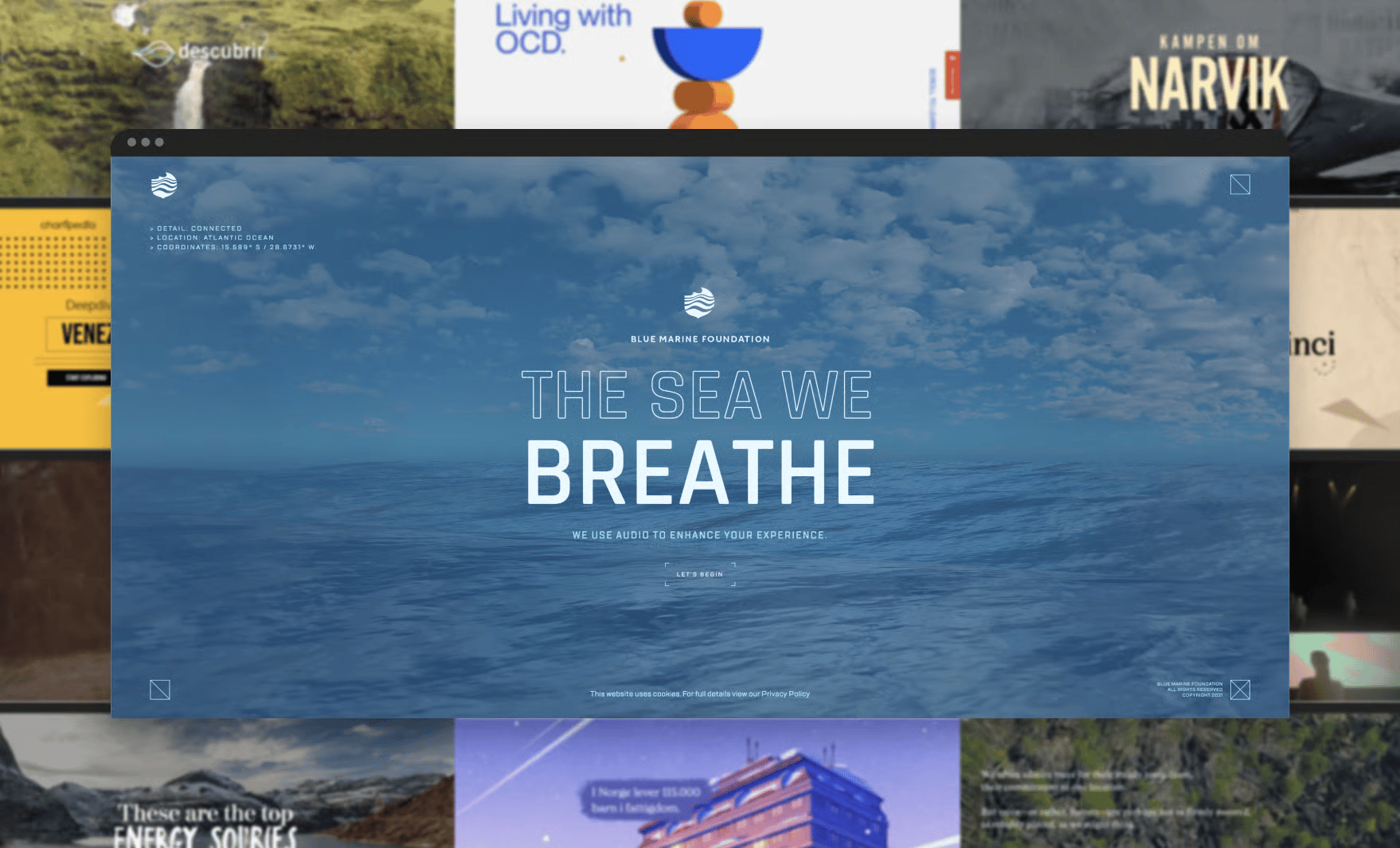
You can draw on visual storytelling techniques to make any communication instantly more engaging—from advertorials and annual reports, to campaign landing pages and product demos. These visual storytelling examples showcase the creative ways content marketers across industries are tapping into the format.
Awareness campaigns
Create visually-driven campaign stories that inform and educate while putting audiences in control of the narrative. In this example, pieces of content are revealed as you click through multiple page journeys at your own pace.
Product explainer stories
Present company history or product info in an interactive timeline format that takes audiences through a visual chronological journey.
Immersive editorial
Bring longform stories to life by breaking up large blocks of text with stunning images, videos, and animated infographics to improve flow and readability, while drawing attention to important info.
Advertorials
Combine diverse visual elements, from video to parallax scroll, animated text and even a horizontal scrolling section to bring branded content to life.
Photo essays
Let visuals lead your digital story by publishing a photo essay. Play with image carousels and scroll animations to turn a block of static images into a dynamic display.
Annual reports
Tell your annual story as a colorful year in review that visually captures the attention of your audience.
Tutorial
How to build a visual story in Vev
Visual storytelling on the web used to require a lot of time and expensive developer resources—meaning only organizations with the biggest budgets could afford to produce them. As a specialist skill set, this also meant creative direction and control was often outsourced to external creative agencies.
Thanks to advances in the no-code development space, creative teams of all sizes are now able to quickly create compelling visual stories in-house for a fraction of the cost, with complete technical and creative freedom.
Tools like Vev allow non-technical content creators to create visual storytelling websites by dragging-and-dropping visual storytelling elements and animations. They also allow technical creators to weave in custom components without coding the basic stuff from scratch.
Full Tutorial ↗
"Vev is enabling a new generation of creatives to craft and publish interactive visual stories without knowing any code."
Best Practices
Best practices for visual storytelling
Ready to create your own visual story? Before you jump in, have a quick scan of these best practices to ensure you don’t confuse, overwhelm, or bore your readers.
Plan the visual content first
Unfortunately, design is often an afterthought. In the case of visual storytelling, design and content go hand-in-hand. The design aspect should be consider1ed much earlier in the process to ensure the visuals and text align and compliment each other.
Keep a consistent visual style
For best results and increased audience interaction, keep the visual style consistent. Follow UX/ UI best practices, ensuring all imagery and other media elements work well together, and that the visuals actually align with the story itself.
Foster reader participation
Get readers involved like never before through playful micro-interactions that let them direct the story. Scroll progress indicators, clickable icons that carry you through the narrative, or interactive visual prompts allow the reader to become an active participant in your story’s “journey”. Bonus points for examples that create multiple pathways readers can choose to go down.
Use movement and transitions
Gone are the days of static text blocks accompanied by a solitary image or two. An interesting navigation brings fluidity to your story. Strategically add breaks and transitions such as video scroll or parallax scrolling to divide dense content blocks into easy-to-read sections that ease the narrative flow.
Best Practices
Keeping visual storytelling
SEO-friendly
In the current digital landscape, visual narratives are a sure-fire way to stand out from the crowd. Yet, if they offer a terrible user experience or aren’t SEO-friendly, they won’t do your marketing initiatives any favors—especially since page load times are directly correlated to conversion rates. Here are a few best practices to tick all the UX and SEO boxes.
Optimize images, GIFs and videos for web
Visual files tend to be quite heavy and can seriously impact your site loading speed. Compressing them is a simple way to make them web-friendly. You can do this by resizing images, choosing a different file format, or changing the compression rate. It may involve a bit of trial and error, but eventually you can figure out which image compression format works best for your website.
You can also use data compression tools for animated visual elements, such as GIFs and MP4s, to reduce file size. When creating GIFs, stick to shorter animated image loops, fewer frames, keep the size under 8MB, and the quality at 420p or 720p max.
Apply lazy loading
Lazy loading simply means that images and videos won’t fully load on your website unless the user clicks or scrolls over it. By utilizing this technique, you can improve page load times, minimize the effort web browsers need to decode images, and reduce data/bandwidth for users visiting your site.
Remember visual file meta-data
It’s important to remember that search engines like Google can’t crawl visual media. This isn’t to say that you should cut down on visual elements in your content, but you need to take the right steps to make sure your website is crawlable. Give your visual media keyword-optimized file names, and always include alt-text in your video and image descriptions so that your website shows up on Google’s radar.
Test page speed
There are loads of tools out there to test your website’s performance to see if it meets Google’s standards. The fastest and easiest one is WebPageTest—simply enter your website URL and select the type of test you’d like to run. Google Lighthouse is another great tool for checking your website’s performance. There are countless metrics you can test on Lighthouse, including performance, SEO, best practices, accessibility and PWA (Progressive Web Application).
Resources
More on visual storytelling

In this guide
Ready to design yours?
Ready to make your own visual story?
Play with Vev’s pre-coded visual storytelling components to get started. You can create as many projects as you like for free, adding a plan when you’re ready to share your story with the world.